
Checking Account Opening :
The Checking Account Opening Application allows customers to seamlessly open a checking account through online banking with various funding options.
Users can browse all available types of checking accounts along with their current interest rates and annual percentage yield (APY) values, and also minimum balances
Upon selecting a checking account, users must fund it using an eligible deposit account. A minimum deposit is required to initiate and open a checking account.
Below is a sample flow:
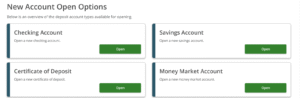
Upon clicking “Open” Checking Account the user is redirected to a list of all available checking account options they are eligible for along with their respective interest rates and APY values.
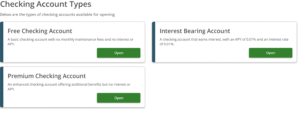
Then User should select a specific checking account and click “Open”and users are directed to a page displaying eligible funding accounts
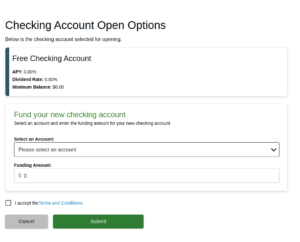
They must choose a funding account that meets the minimum balance requirement and enter the desired funding amount. Before proceeding, users must accept the terms and conditions and click on submit.
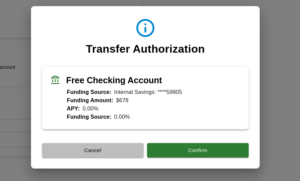
Then it will show an Authorization pop-up with the opening Account Details.
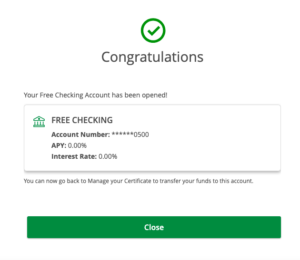
Upon successful account creation, a confirmation pop-up will be displayed. The newly created checking account will then appear on the user’s landing page.